
Follow these steps to create a new tax/fee or edit an existing one:
- Sign In
Go to the Basil Backoffice website and sign in to your account.
- Open Taxes & Fees
In the left-hand sidebar, select the Menu button, then choose Taxes & Fees from the dropdown list.
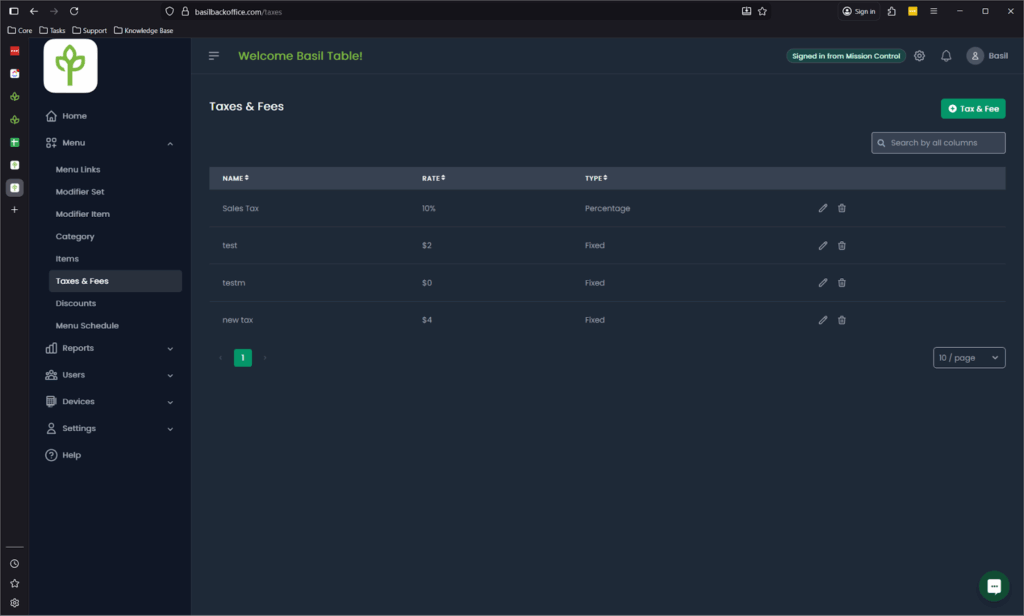
- Edit or Create a Tax/Fee
- To edit an existing tax or fee, click the pencil icon next to the item.
- To create a new tax or fee, click + Tax & Fee.
- To edit an existing tax or fee, click the pencil icon next to the item.
- Tax/Fee Settings
Here you can set the name, rate, & type of the tax/fee. As well as what items it is applied to.


